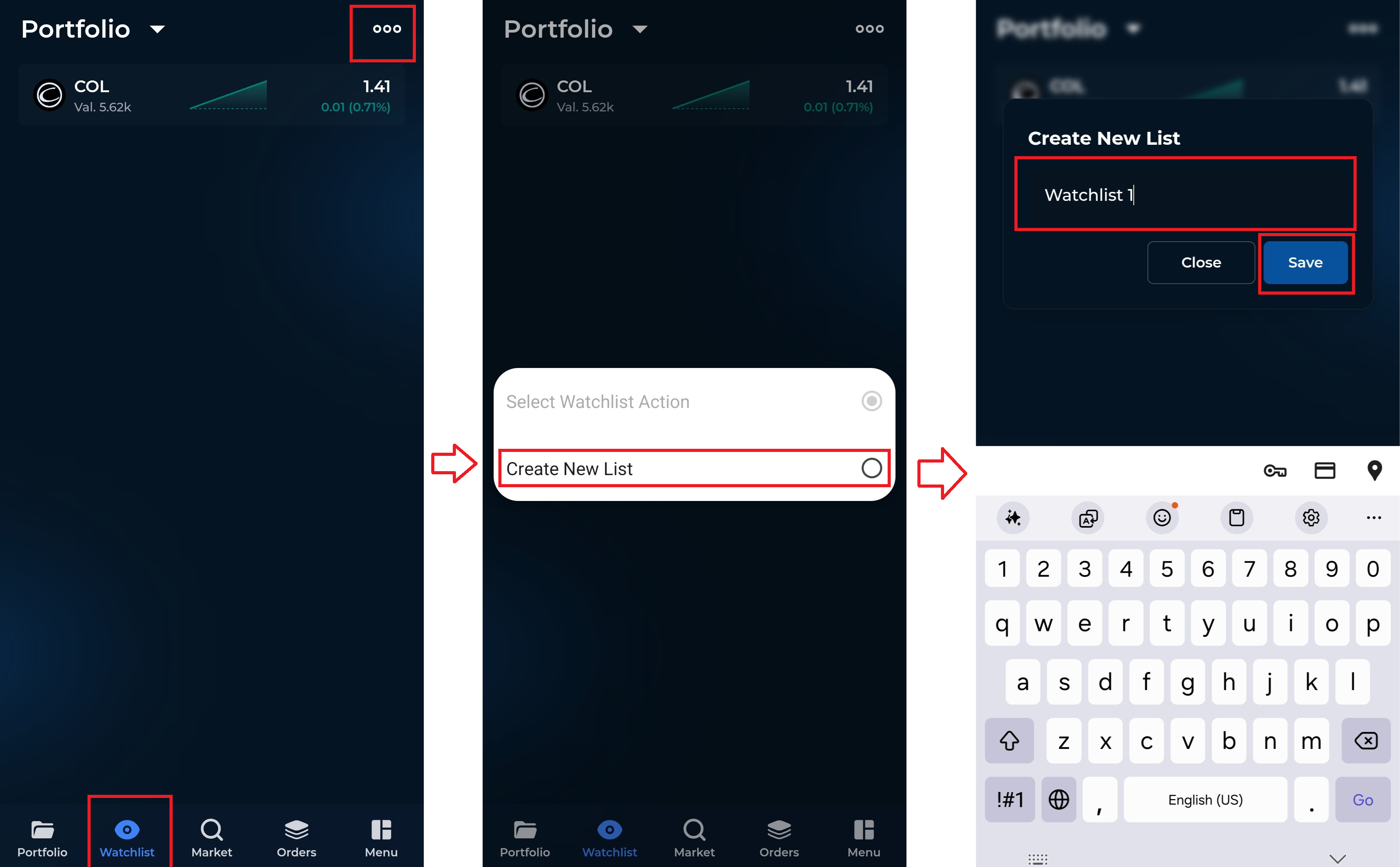
To create and manage your stock watchlist, please follow these steps:
Tap on the Watchlist tab.
Click the three-dot menu at the upper right corner of the screen.
Select “Create New List.”
Enter a name for your watchlist, then tap Save.
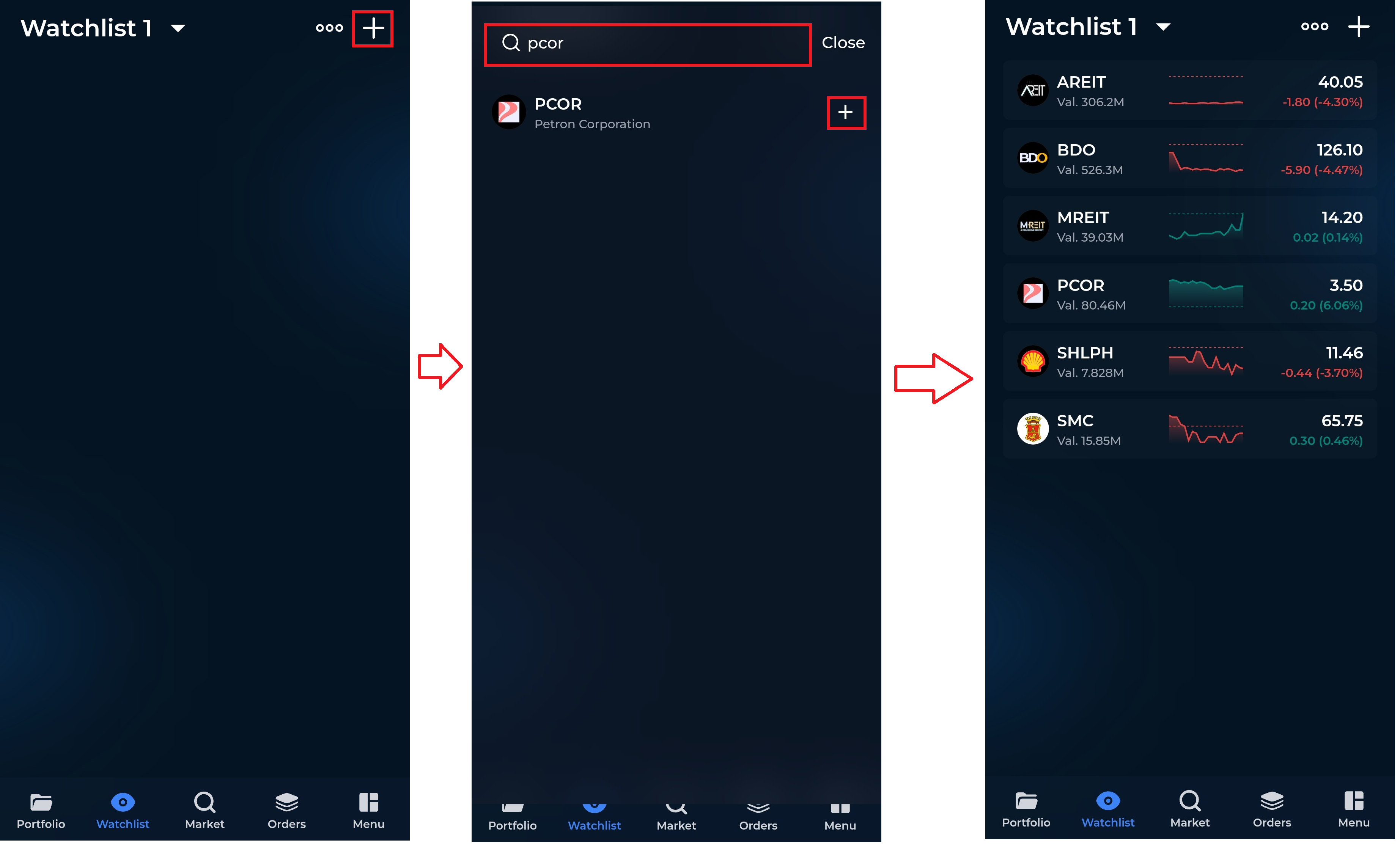
Once your list has been created, you may begin adding stocks:
Tap the “+” (plus) icon at the upper right corner.
Use the search bar to enter the stock name or code.
Tap the plus icon beside the stock you wish to add.
To add more stocks, simply search for another stock and tap the plus icon again.
When finished, tap Close. Your watchlist will be saved automatically.
You may access and update your watchlist anytime through the Watchlist tab.