
To view or modify your orders, follow these steps:
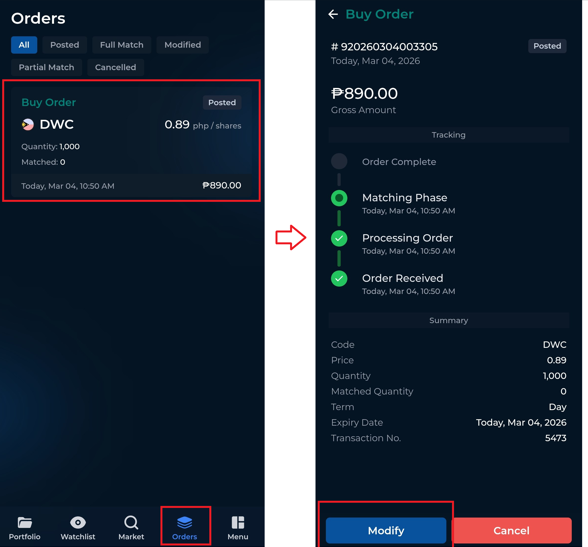
Tap on the Orders tab.
Select the order you want to view to see its full details and track its status.
To modify the order, tap the Modify button at the lower portion of the screen.
Edit the quantity or other allowed fields, then enter your password to confirm the changes. Please note that you can only input a new quantity that is lower than your original quantity.
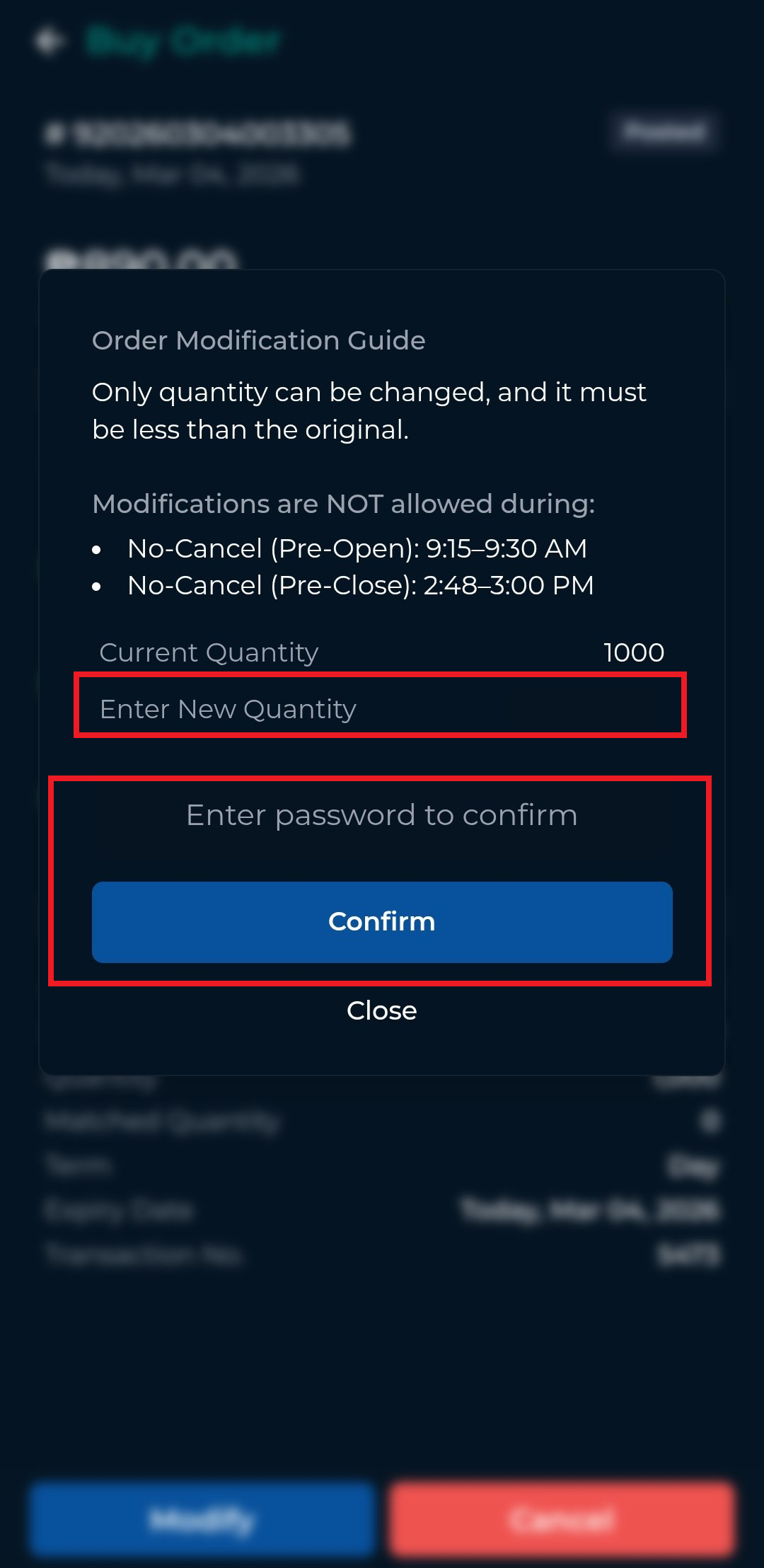
Once confirmed, your order will be updated, and you can continue to monitor its status from the Orders tab.