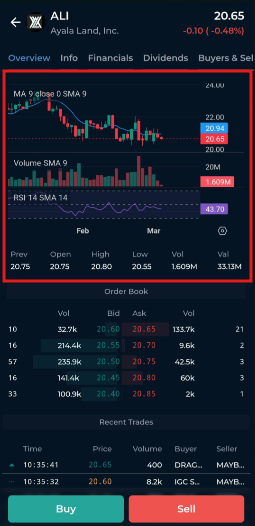
To view a stock’s chart in COL Pro Mobile, please follow these steps:
Tap on the Market tab.
Use the search bar located at the bottom of the screen.
Enter the stock code of the company you wish to check (e.g., ALI).
Select the stock from the list to open its detailed information page.
Once you access the stock’s page, the Chart will be displayed, allowing you to monitor its price movements and trading activity. You may swipe left or right on the chart to view historical price data.
If you wish to add or modify chart indicators, you will need to access COL Pro using a desktop or laptop. Switching your mobile browser to desktop mode is not recommended, as it may not provide the best user experience.