
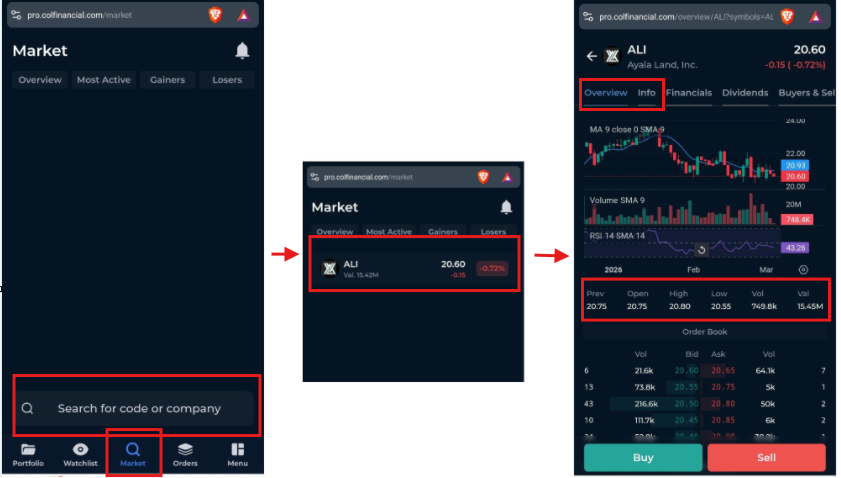
To view a stock’s price and details in COL Pro Mobile:
Click on Market.
Use the search bar at the bottom of the screen.
Enter the stock code you want to check (for example: ALI)
Tap the stock from the list to view its full details, including its bids and asks.
Color:
- Green: Stock is up from its opening price
- Yellow: Stock is the same from its opening price
- Red: Stock is down from its opening price
Other Data:
Open – The stock’s opening price for the trading day.
High – The highest price reached during the trading day.
Low – The lowest price reached during the trading day.
Prev – The previous trading day’s closing price.
Value – The total value of shares traded for the day.